caption
Click anywhere to close.
For the 2022 senior capstone project, my project team and I designed an IOS-based prototype that helps people quickly decide where to eat in agreement. These decisions are made by swiping with another user to eventually match on a restaurant.
Users who prefer to dine alone can view recommendations on the discover page. Recommendations are personalized by using filters, current favorite restaurants, and restaurant preferences.
This project was in progress from January to April 2022. The design team members consists of Alex Manuel (Lead UX Designer), Diya Singh, Sabina Siddiqui, and Conor Blankenship (UX Designers). Together, we collaborated in implementing Goal-Directed Design to create FARE.
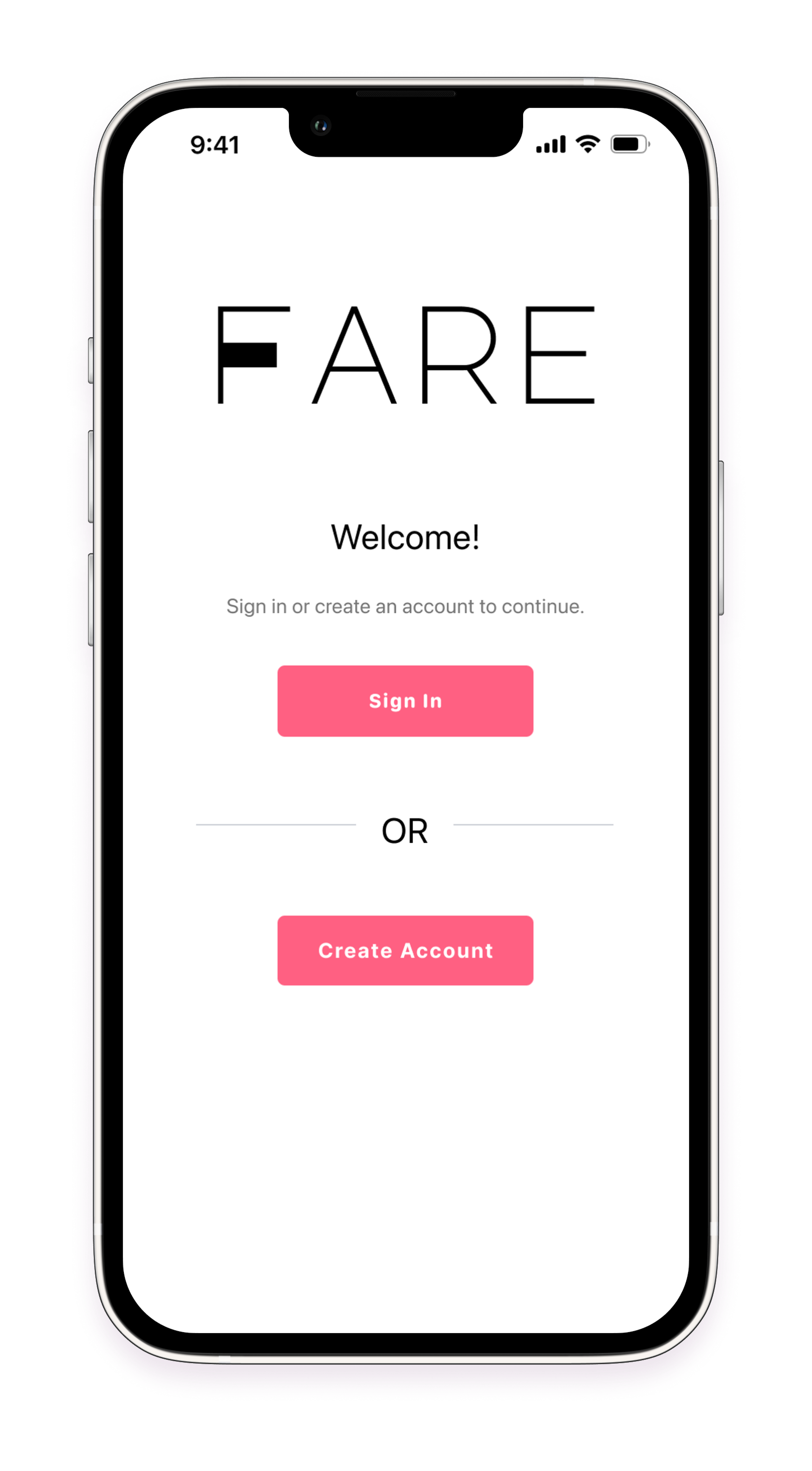
Select device to open prototype in a new tab.
Something we’ve all most likely experienced is disagreements, specifically when it comes to finding a place to eat with a party or a partner. Here’s a common scenario: Person A has an idea of the kind of food they want to eat but does not know what specific restaurant to eat at with their partner, Person B. Person B keeps suggesting places, but none of the suggestions sound good to A. They spend over 20 minutes discussing and are still not being able to decide where to eat, which only increases their frustration.
Fare attempts to solve situations like this so that couples or groups of friends can fairly make the decision. This app also caters to those who prefer to dine alone, but still want to find places to eat based on their preferences.
FARE helps...
Goal-directed design is important for the design process as it helps us understand users’ goals, needs, and motivations to produce an effective human-centered design.
Goal-Directed design has six stages: Research, Modeling, Requirements, Frameworks, Product Refinement, and Support.

From About Face: The Essentials of Interaction Design by Alan Cooper.
Research is the first step that helps us better understand information regarding the realm of the app, such as the user’s goals, the environments it will be used in, and past applications that function similarly. In the research phase, we held kick-off meetings, brainstormed ideas, completed a literature review, and conducted user interviews.
The main purpose of conducting a Kickoff Meeting is to gain insight into the base elements for a product and how stakeholders think about their product, their users, and possible design problems.
Our meetings were held remotely via Discord and Miro. Since we had no idea how this idea would come to fruition, we first began brainstorming ideas on sticky notes. We also listed user goals, talked about the problems our product would solve, and discussed how the product should look and behave.
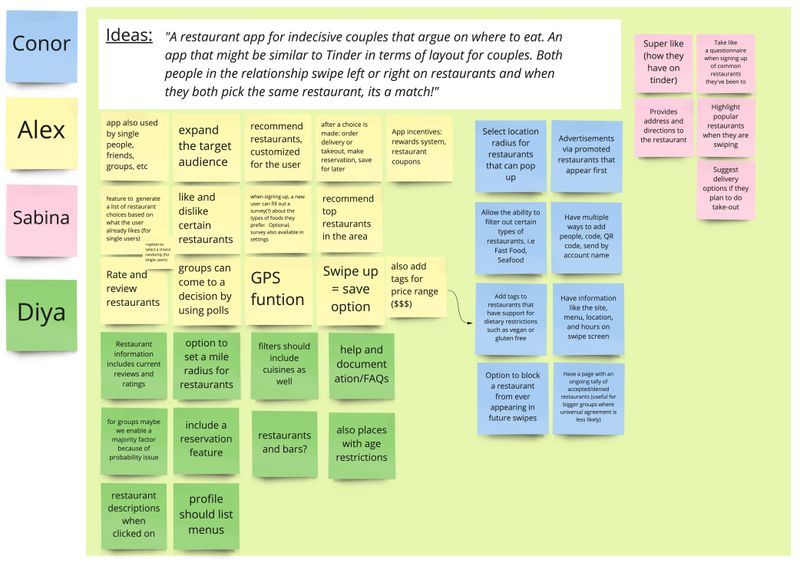
Brainstorming sticky notes on Miro
With the aid of a Kickoff meeting worksheet, we brainstormed some assumptions about who our users will be and the problems they may face regarding social media usage and creativity alike. Since we have no actual stakeholders, the worksheet helped us to think about the possible business goals and opportunities stakeholders would seek. We concluded the last meeting with a problem statement, a research question, and user goals.
"People often have difficulty deciding where they should eat, especially in groups. This indecisiveness usually snowballs into confusion and wasted time. Currently, there are no well-known apps that people can use to decide where to eat."
We decided that our competitors were:
As part of the research, we reached out to four potential users of our app and interviewed them by asking questions based on their personal experiences with deciding where to eat with a partner or a group of friends. We asked questions related to what features they would like to see if they were to use this app and whether they see themselves using the Fare app frequently.
Five interviewees participated; Neva, Nikki, Adam, Sophie, and Mesha. Most were ages 19-25 years-old. These people have all experienced some form of disagreement when it comes to finding a place to eat.
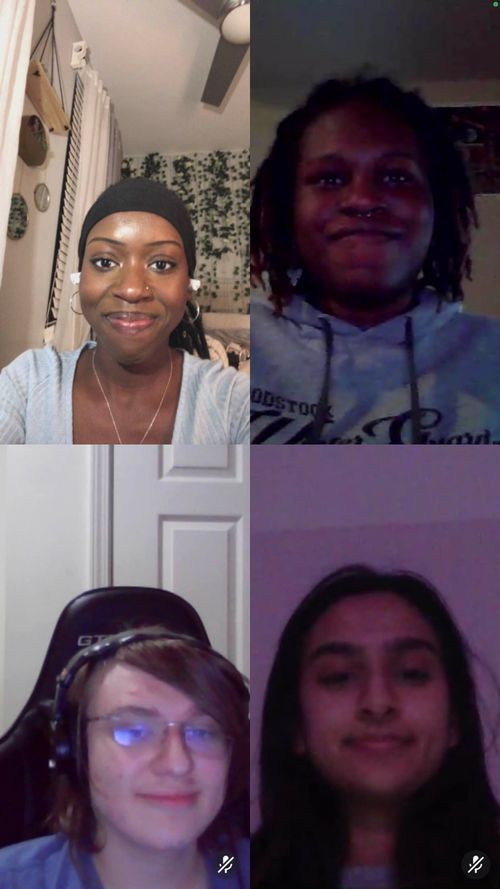
Group interview on Discord with Neva, Alex, Sabina, and Connor.
After each interview, our team that was available for the interview regrouped and discussed the results. We then created an affinity map to organize our data.
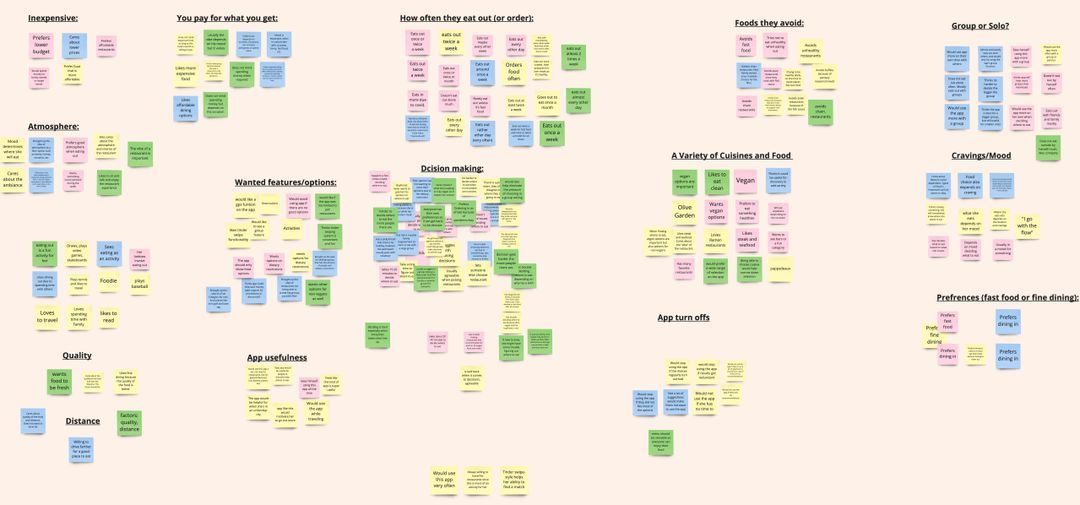
Affinity mapping data from interviews on Miro.
What stood out the most to us among all of our participants:
Overall, the affinity mapping set us up for our transition into the modeling phase to build our primary persona.
Personas should help us make sure that we’re accommodating our users’ goals and needs during the Frameworks Phase. Based on research results and affinity mapping, we were able to create a primary and secondary persona.
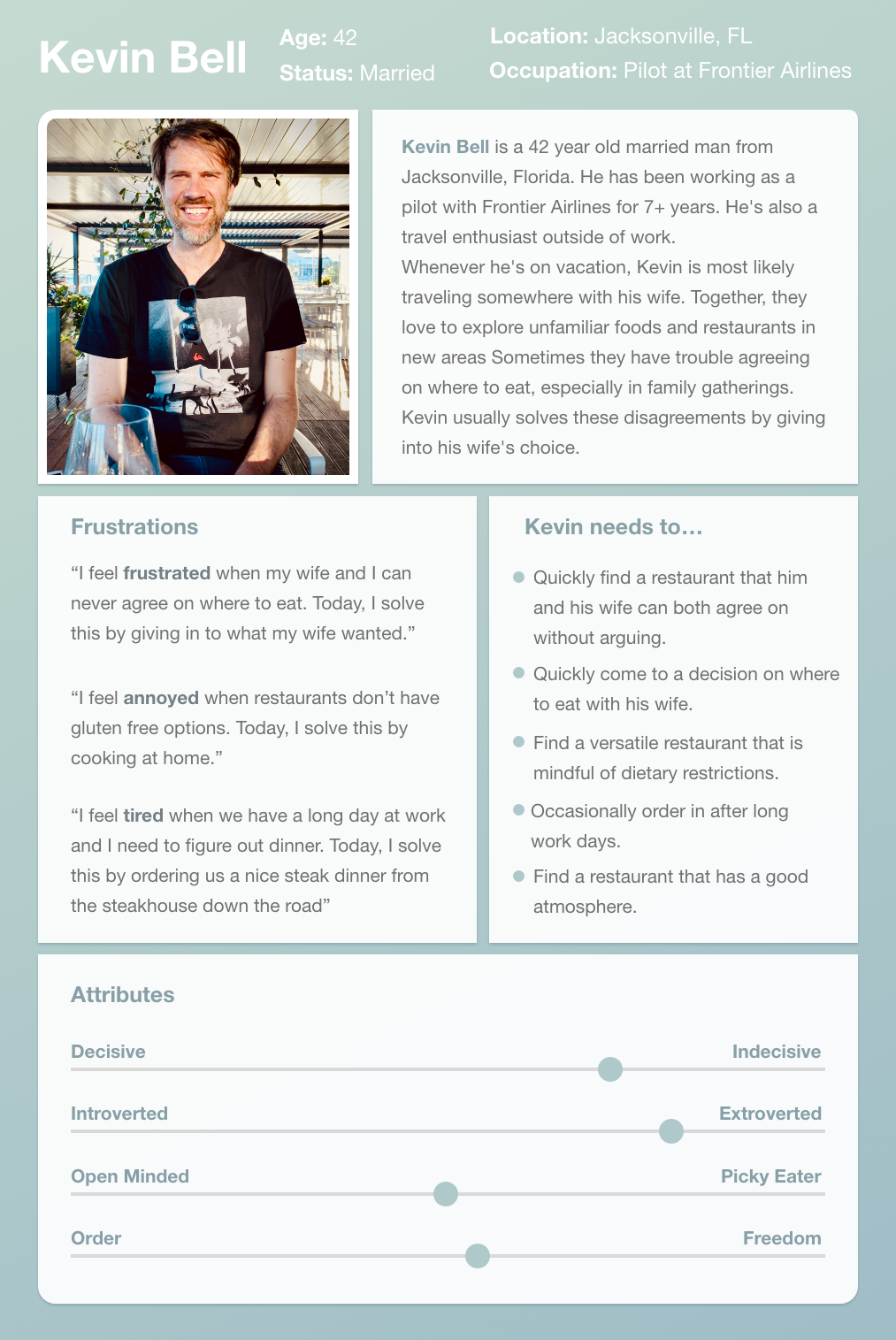
Primary Persona
Kevin Bell Kevin Bell is a 42-year-old married man from Jacksonville, Florida. He has been working as a pilot with Frontier Airlines for 7+ years. He's also a travel enthusiast outside of work. Whenever he's on vacation, Kevin is most likely traveling somewhere with his wife. Together, they love to explore unfamiliar foods and restaurants in new areas Sometimes they have trouble agreeing on where to eat, especially at family gatherings. Kevin usually solves these disagreements by giving into his wife's choice.
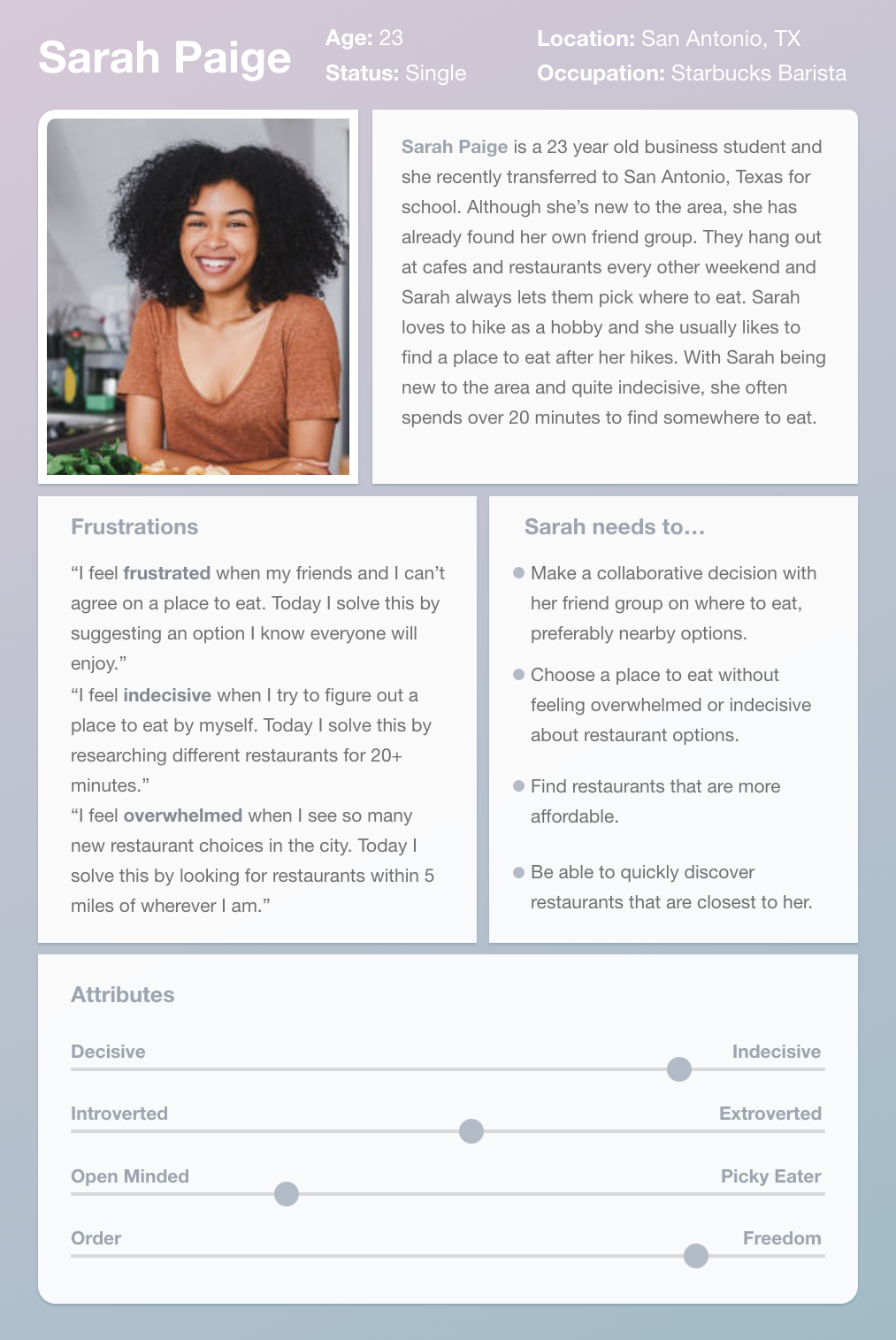
Secondary Persona
Sarah Paige Sarah Paige is a 23-year-old business student and she recently transferred to San Antonio, Texas for school. Although she’s new to the area, she has already found her own friend group. They hang out at cafes and restaurants every other weekend and Sarah always lets them pick where to eat. Sarah loves to hike as a hobby and she usually likes to find a place to eat after her hikes. With Sarah being new to the area and quite indecisive, she often spends over 20 minutes to find somewhere to eat.
A Requirement is what's needed to exist on the app so that personas can achieve their goals. It connects the gap between research and design by using personas to create stories that express user satisfaction. We do this by putting the Persona into a Context Scenario, which is essentially a story that explains how a product fits into the Persona’s life and how it helps them achieve their goals.
Using the Context Scenario (written by Sabina), we made a list of Requirements that FARE needed to allow users to successfully meet their goals.
Context Scenario
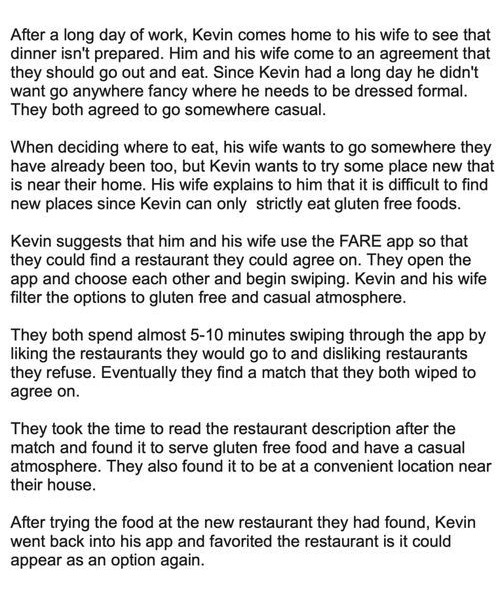
Requirements
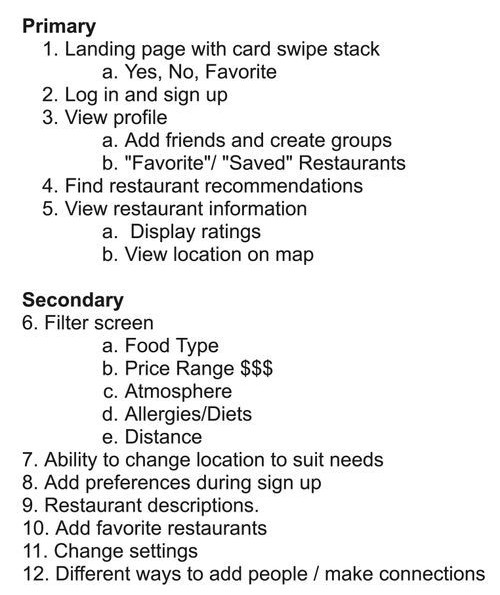
A Requirement is what's needed to exist on the app so that personas can achieve their goals. It connects the gap between research and design by using personas to create stories that express user satisfaction. We do this by putting the Persona into a Context Scenario, which is essentially a story that explains how a product fits into the Persona’s life and how it helps them achieve their goals.
Using the Context Scenario (written by Sabina), we made a list of Requirements that FARE needed to allow users to successfully meet their goals.
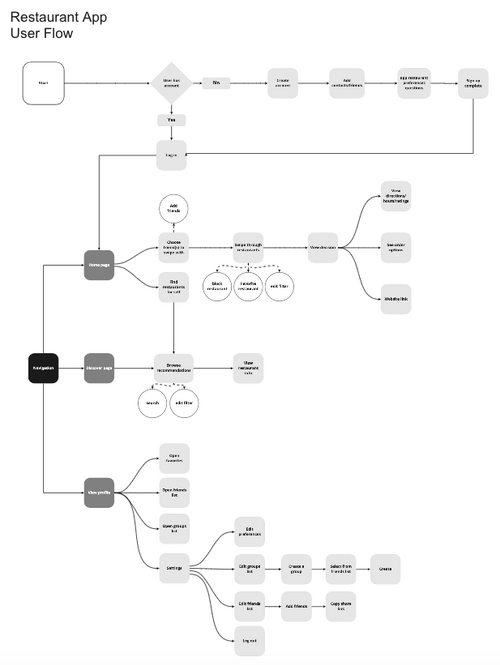
User flow for restaurant app.
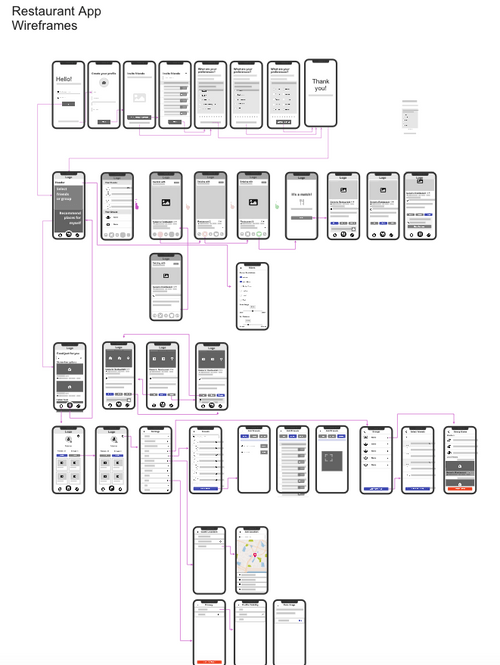
Wireframe for restaurant app.
After finishing our low-fidelity prototype, we began usability testing. Using Google Forms, we included a set of 6 tasks for navigating the prototype, and 19 (primarily) open-ended questions. We recruited four participants of the same demographic.
Negative Takeaways
Positive Takeaways
Embedded high fidelity prototype from Figma.