caption
Click anywhere to close.
8TIV is an IOS-based social media prototype that aims to provide creatives with a safe space to share and connect within niche communities. We found that current social media platforms are tailored toward general uses and don't allow the user to fully separate their creative content from personal uses. We sought to design an app that addresses this difference by:
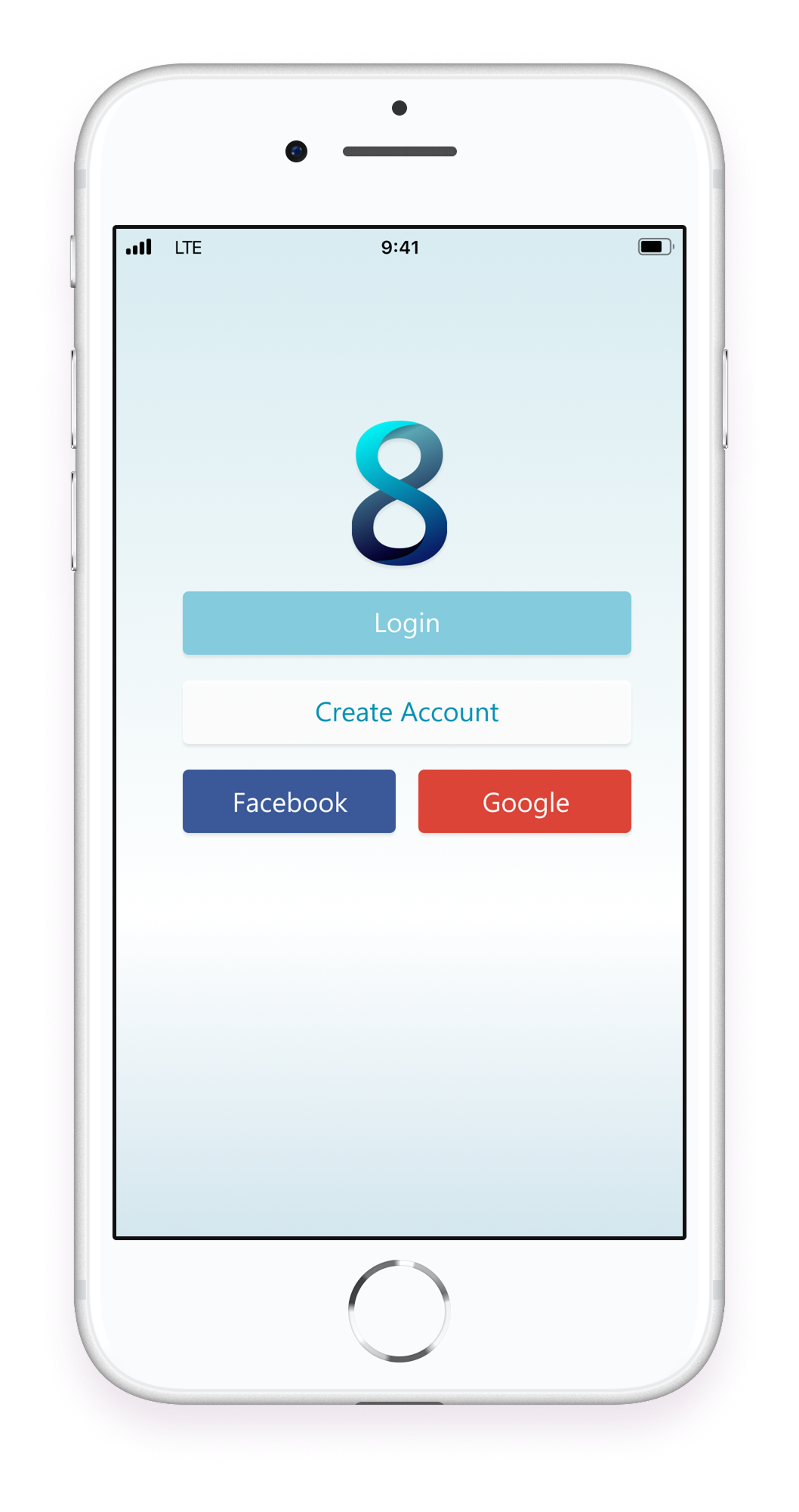
Select device to open prototype in a new tab.
It's important to note that this is strictly an academic project. Due to COVID-19 restrictions, we’ve collaborated virtually via Discord, Miro, and Figma.
The most polarizing social media apps today include Instagram, Twitter, Tik Tok, and more. What these apps have in common is that they all focus primarily on showcasing ourselves and gaining popularity. What these existing products fail to address is community and specificity, as they are tailored toward general uses, and don't allow the user to fully separate their creative content from personal uses.
Goal-directed design is important for the design process as it helps us understand users’ goals, needs, and motivations to produce an effective human-centered design.
Goal-Directed design has six stages: Research, Modeling, Requirements, Frameworks, Product Refinement, and Support.

From About Face: The Essentials of Interaction Design by Alan Cooper.
Research is the first step that helps the team better understand information regarding the realm of the app, such as the user’s goals, the environments it will be used in, and past applications that function similarly. The research phase is crucial to setting the team up for success. Despite our circumstances due to the pandemic, we were able to effectively conduct and analyze substantial research.
Cover of our research Report.
The main purpose of conducting a Kickoff Meeting is to gain insight into the base elements for a product and how stakeholders think about their product, their users, and possible design problems.
Due to the COVID-19 pandemic, we were unable to hold face to face meetings. Accordingly, we have done our work virtually by utilizing the online Collaborative Whiteboard, Miro. This tool allowed us to do everything we needed to do in person, starting off with our Kickoff Meeting.
With the aid of a Kickoff meeting worksheet, we brainstormed some assumptions about who our users will be and the problems they may face regarding social media usage and creativity alike. Since we have no actual stakeholders, the worksheet helped us to think about the possible business goals and opportunities stakeholders would seek.
"The current state of social media has focused primarily on showcasing ourselves. What existing social media apps fail to address is creativity, community, and specificity."
Next, we conducted a Literature Review, which is when the design team gathers any relevant information about an existing product or domain. We collected internal documents, industry reports, and web searches related to existing social media platforms. We found negative and positive reviews of these platforms so that we could know what aspects to avoid, and which aspects of these apps were more favorable.
To compare and analyze our competitors efficiently, we created a competitive analysis chart that highlights the key pieces of information about each of them. This was needed so that we could get an idea about the current state of capabilities in regard to our domain.
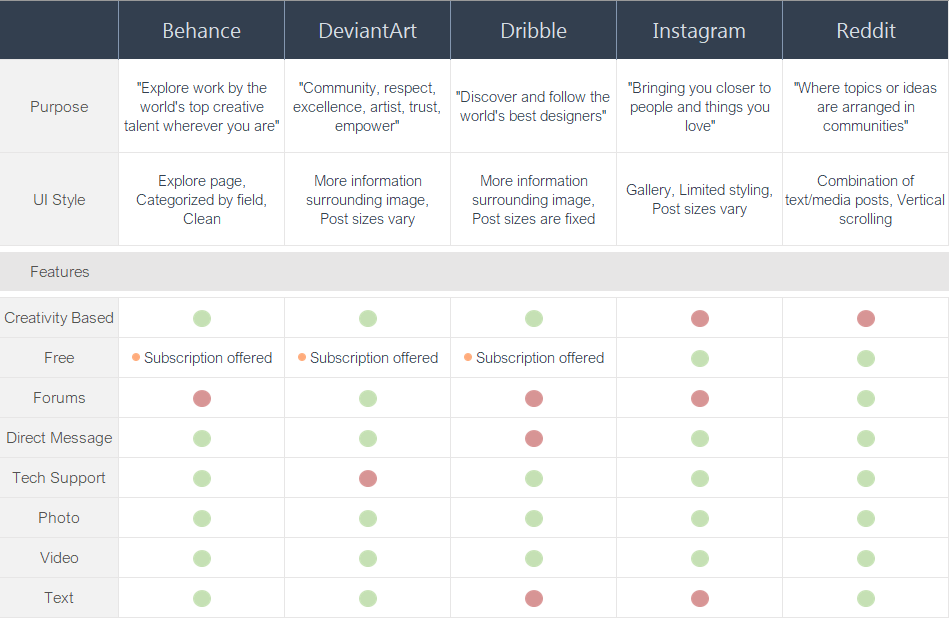
Competitive analysis from research, created on Excel.
To begin our research process, our team began with the Persona Hypothesis, which is the initial assumption about how our potential personas might behave.
We brainstormed and thought about what possible users would be interested in 8Tiv, what type of behaviors they might have, and what their end goals might look like.
Our team narrowed our persona hypothesis to two types of possible personas:
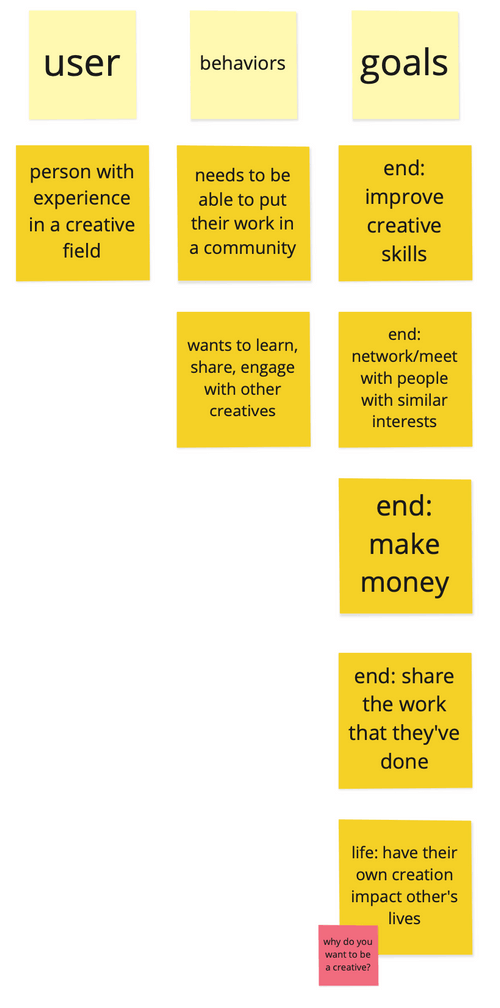
Persona brainstorming stickies on Miro.
Once we got a general idea of our potential users, we began searching for interview candidates to get solid data on the behaviors of actual users.
Due to some changes in our university’s Institutional Review Board, the process of getting approved to do user research would take too long for the deadline that we were given. Thus, we had to resort to only interviewing students within our class.
Thankfully our class is filled with creative students, so we were able to get some valuable data. All interviews were conducted on video calls through Discord.
Discord interview with Amali, Benjamin, Alex, and Kiely.
After each interview, our team that was available for the interview regrouped and discussed the results. We then created an affinity map to organize our data.
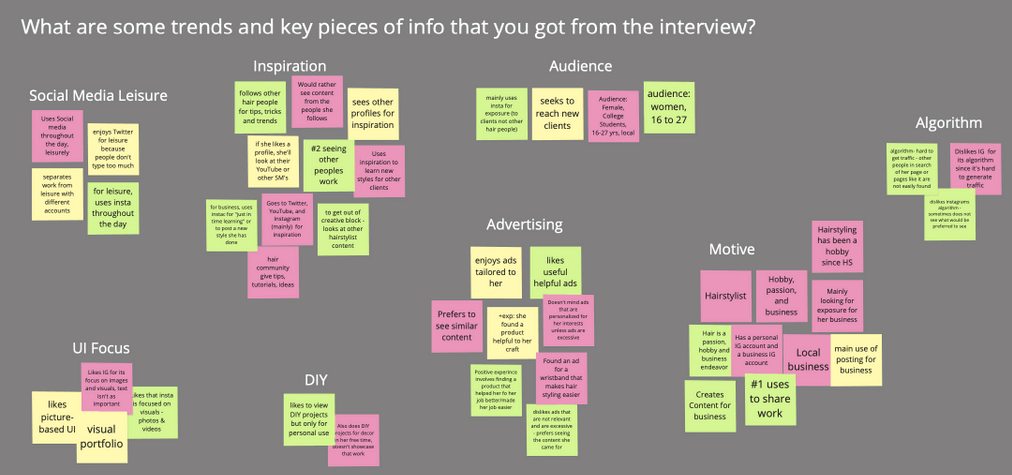
Affinity mapping data from interviews on Miro.
What stood out the most to us among all of our participants:
Overall, the affinity mapping set us up for our transition into the modeling phase to build our primary persona.
Having a persona to refer to makes sure that we are accommodating our users’ goals and needs during the Frameworks Phase. Based on research results and affinity mapping, we were able to create a primary persona but no secondary or other types of personas for this stage. My team members used the results to create our primary persona for the app, Davina Shepherd.
Based on her narrative, I also created a little illustration based on the persona.
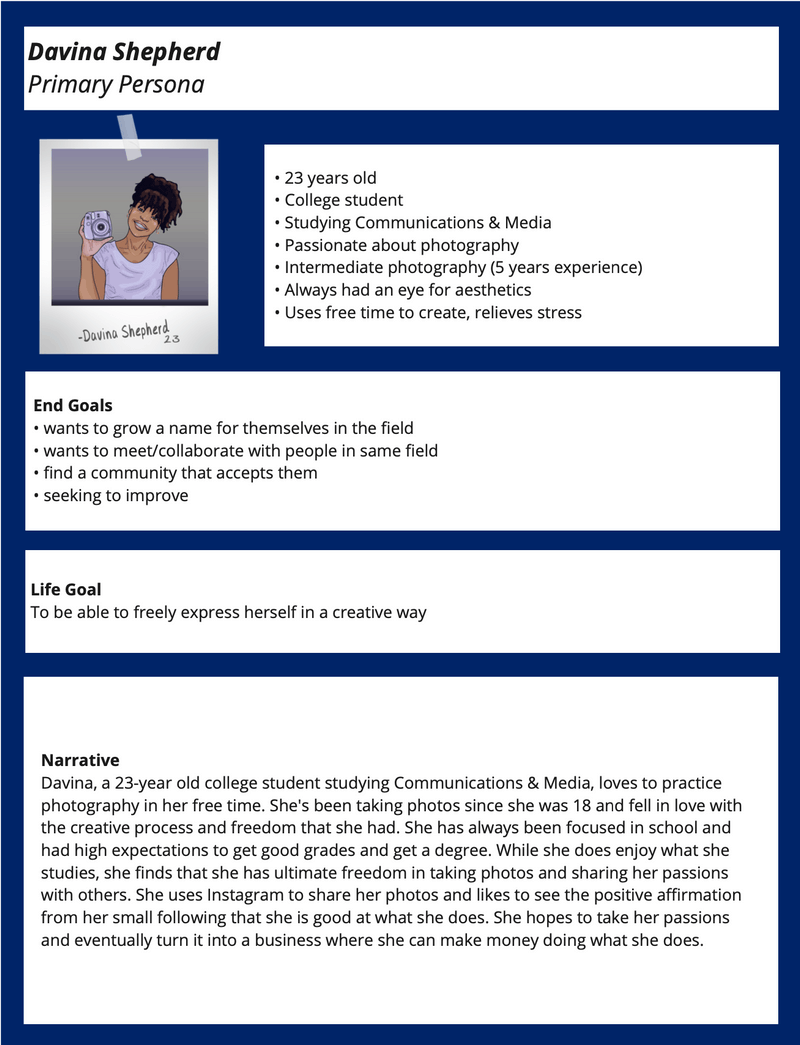
"Davina" persona illustration and narrative.
Requirements are essentially a list of elements that need to exist within the design so that the persona can achieve its goals. It connects the gap between research and design by using personas to create stories that express user satisfaction. We do this by putting the persona into a context scenario, and this is essentially a story that explains how a product fits into the persona’s life. Ours was a quick short summary explaining how the app would be used passivley in Davina's day-to-day.
Using the context scenario, we made a list of requirements that 8tiv needed to allow users to efficiently meet their goals. During our meeting, we reread the context scenario together and listed the capabilities 8Tiv needed to allow Davina to meet her goals.
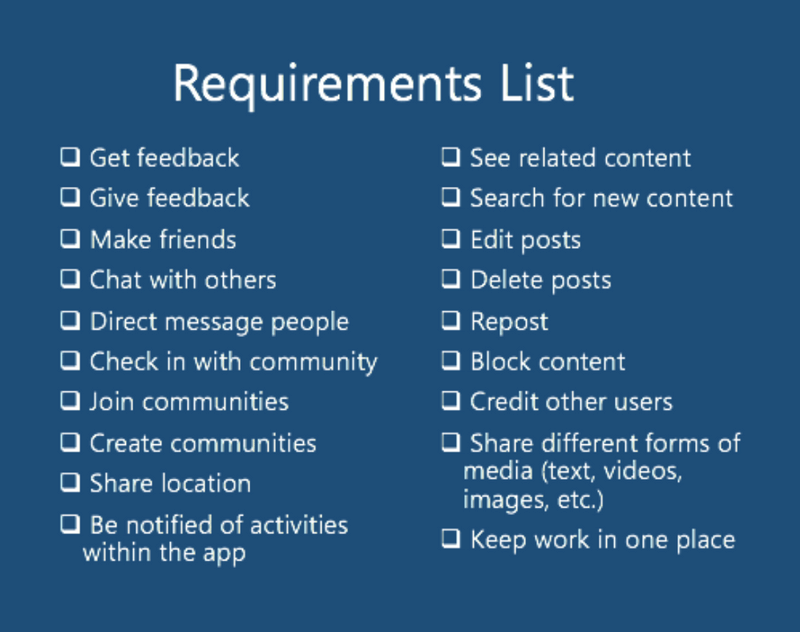
List of requirements for 8TIV wireframe.
This next stage allows us to prioritize elements and think about what content is most relevant to users before jumping straight to prototyping. First, we created a key-path scenario; the primary pathway a Persona takes with the greatest frequency. We wanted to focus on uploading content first. Since we could not collaborate in person, we used wireframe tools on Miro to complete this step.
Next, we branched out and created several paths to validate our list of requirements until we were left with a completed Wireframe.
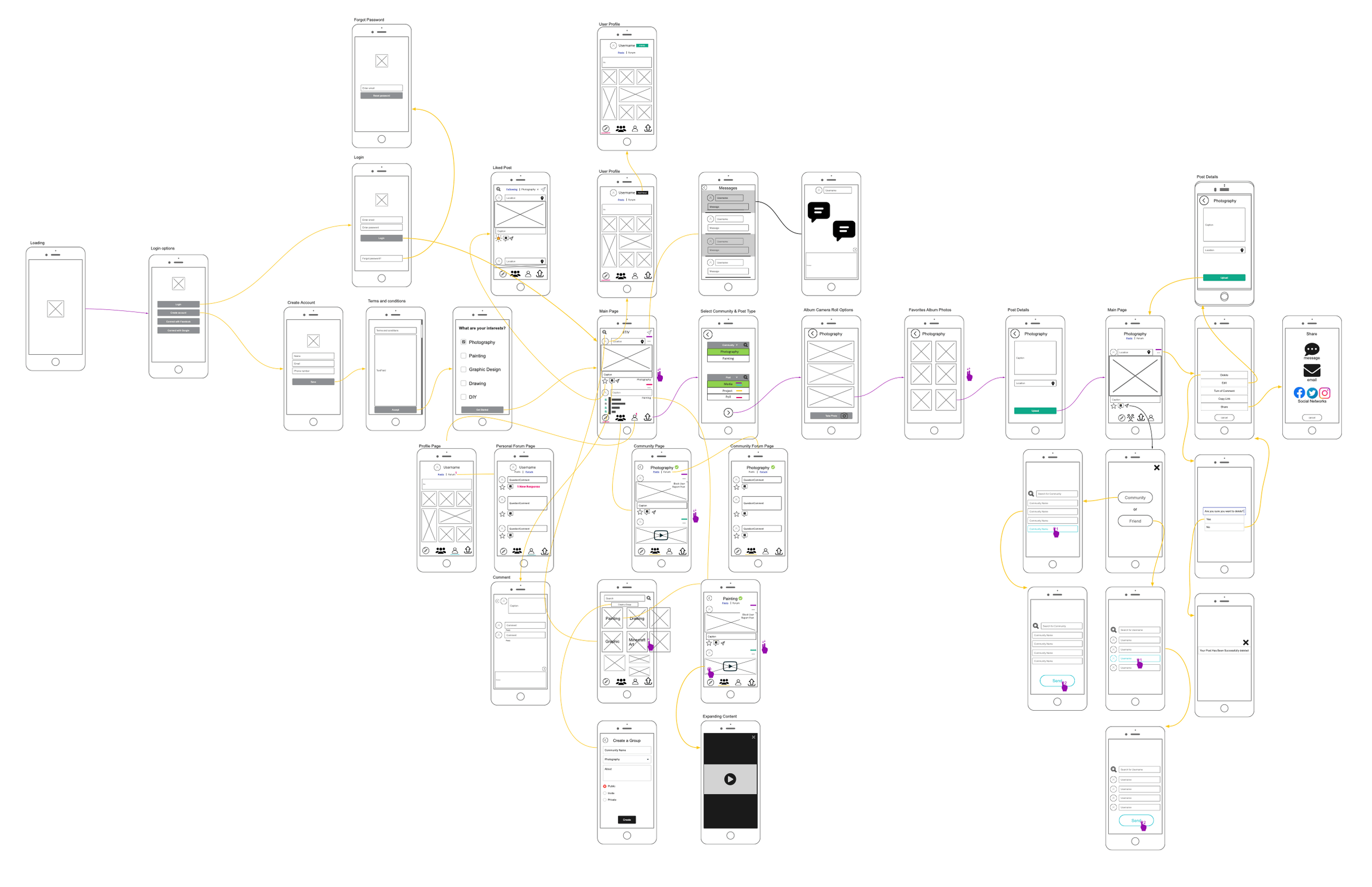
8TIV Wireframe expanded.
After the full prototype was completed, we reached out to two of our classmates for Usability testing. This ensured that we notice any issues before finalizing the design. Based on the feedback we got, I went back and made a few changes:
Embedded prototype from Figma.